Transform Projects for Performance
Focus on Workflows, integrate Quality Checks, simplify Planning & stay up-to-date with Progress
We Accelerating Performance
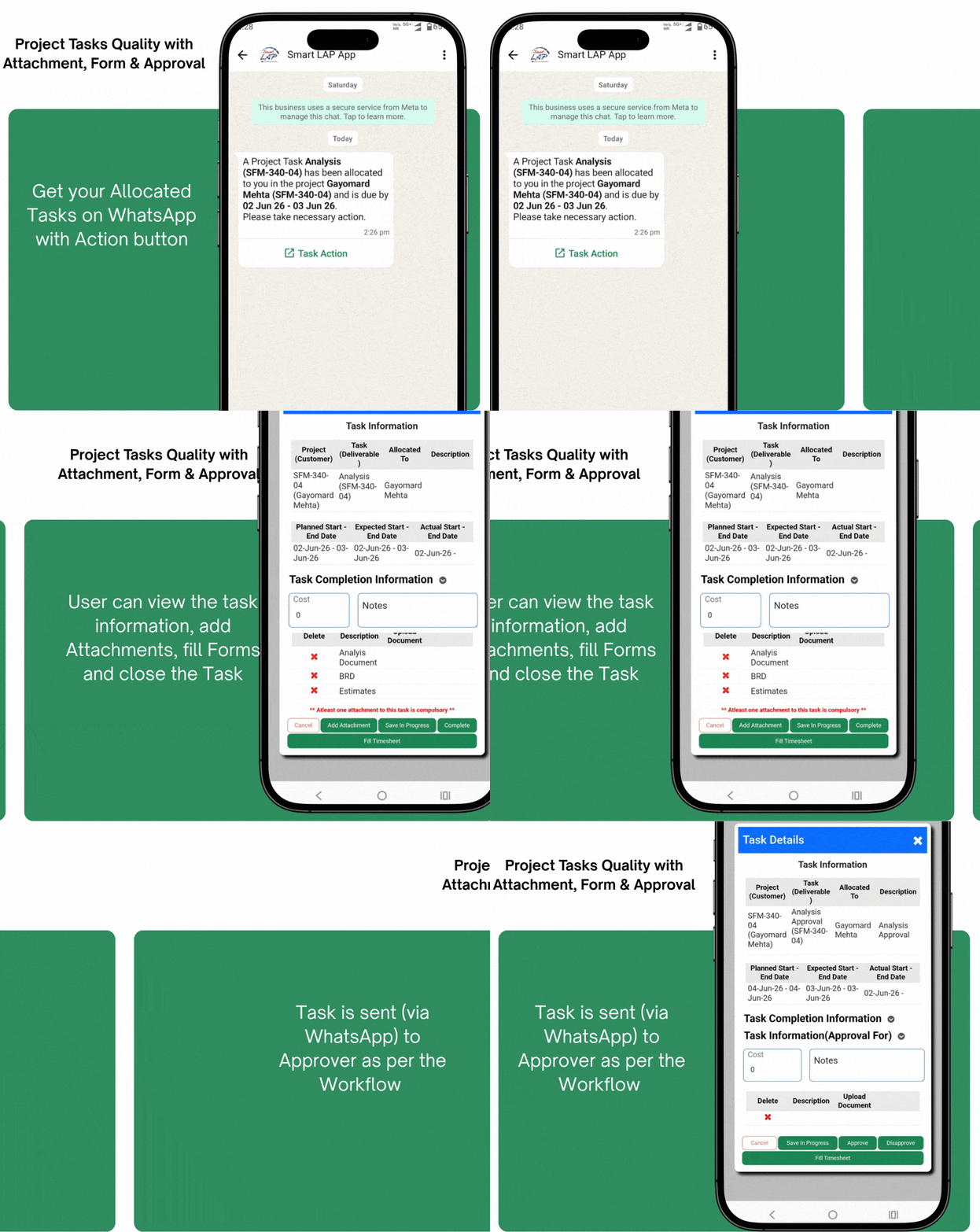
Complete & Approve Tasks on WhatsApp
Get WhatsApp alerts when a task is allocated, click on Action button to view & close task.
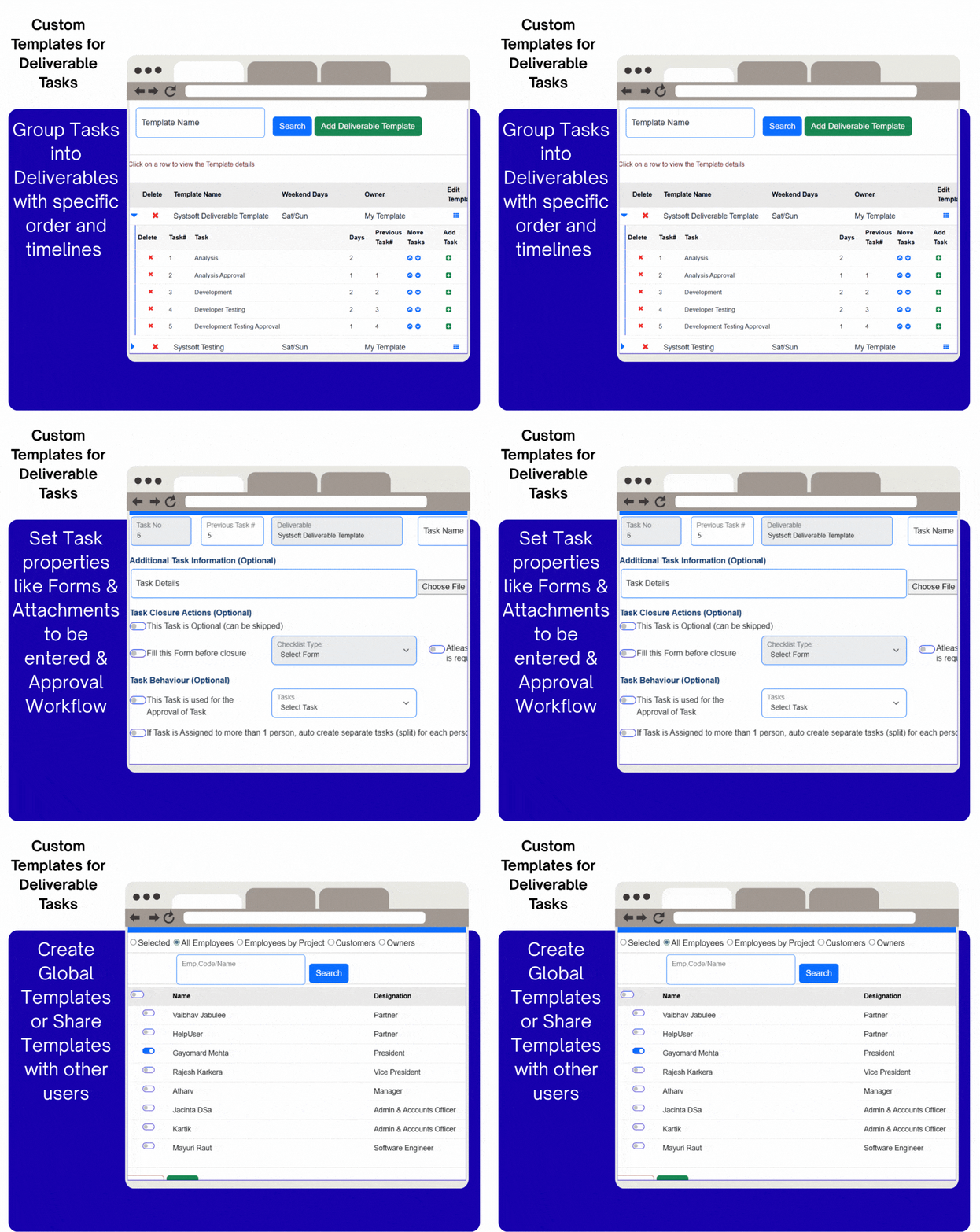
Create customized Deliverable Templates
Specify tasks with their duration & order along with properties like Attachments, Forms and Approval Workflows
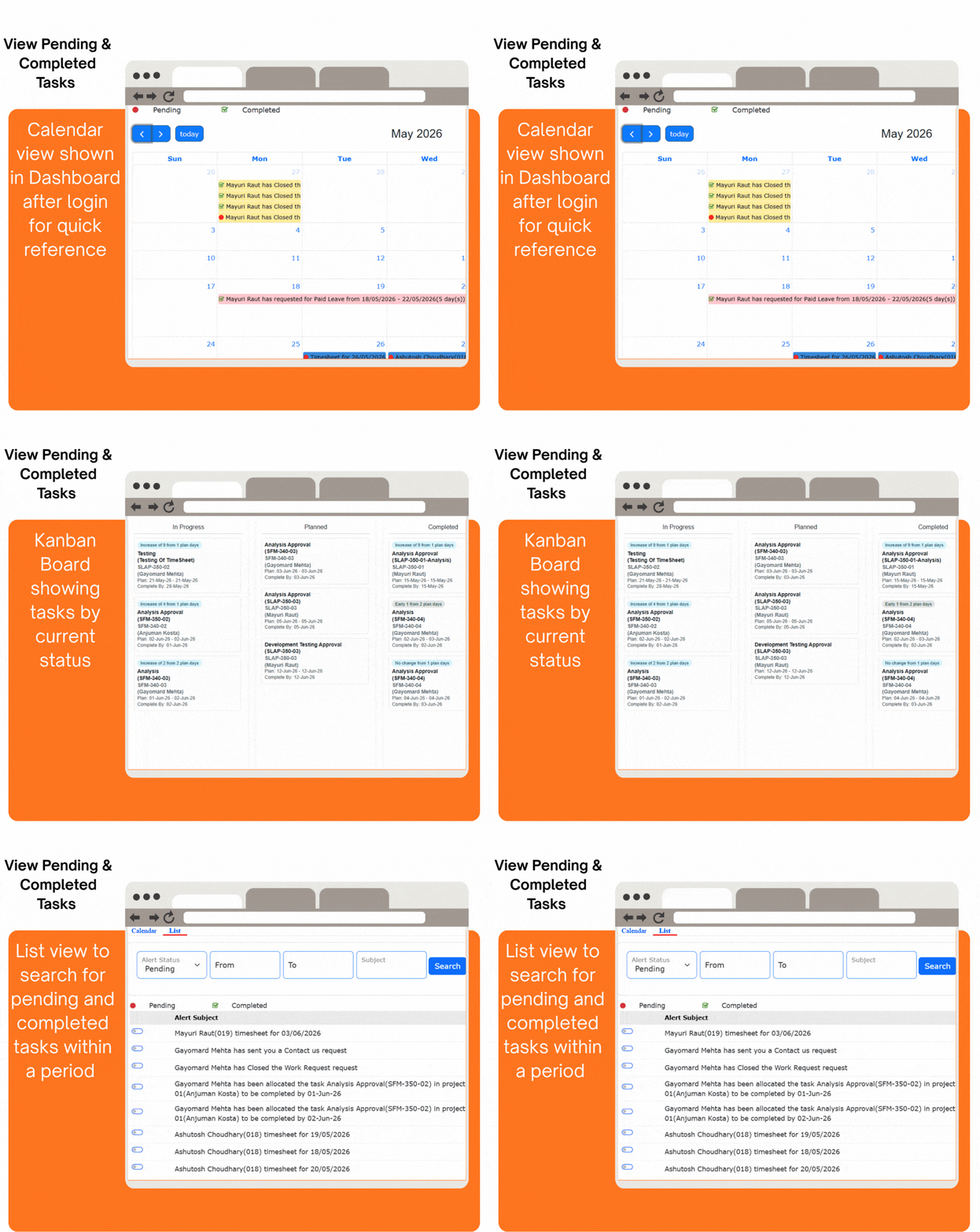
View Pending & Completed Tasks
All your tasks can be seen in different views - Calendar, Kanban Board, or Searchable List of tasks.
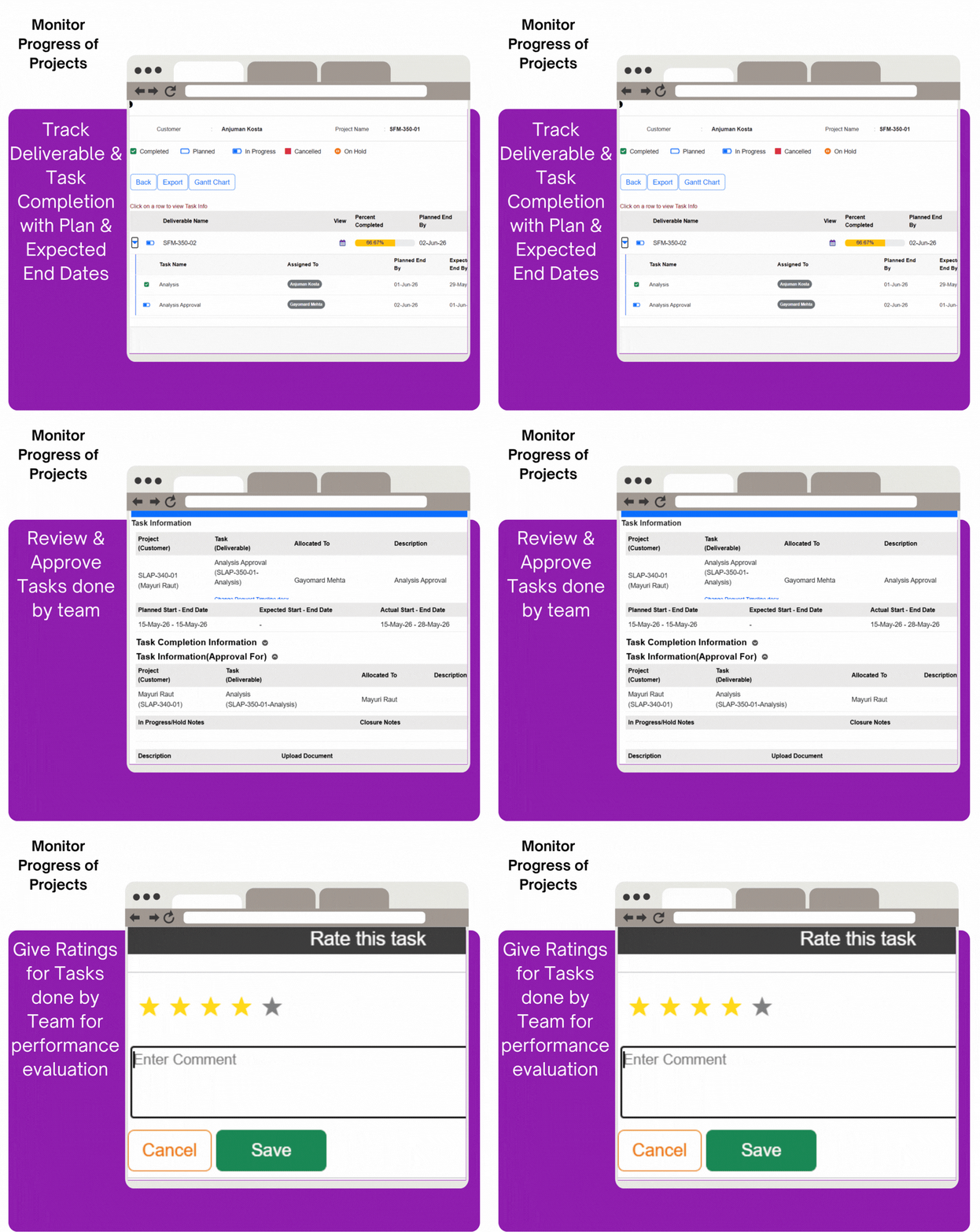
Monitor progress of Projects
Track the completion of project deliverables, time performance of tasks & give performance ratings.
Project Feature Highlights
- Create custom Templates with Tasks to create Deliverables within Projects
- Templates can be Personal, Shared to specific people or for Everyone
- Task duration & workflow settings are setup within the template
- Tasks can have specific Attachments, Forms, Notes and be used for Approval
- Deliverable Tasks can be Sequential, Parallel, Approval or Split (1 to many)
- Sequential: the next task is automatically started when a task is closed
- Parallel & Split: All parallel tasks need to be closed before the next task is started
- Approval: Next task is started after Approval or it is Sent Back to Previous task
- All tasks get Planned dates, which change only if the plan changes
- Actual dates are those when a task is started and when it is closed
- Expected dates for future tasks are auto calculated based on the completed tasks
- Get more accurate completion estimates using expected dates
- Owners can view the Status, % completed and estimated timelines of Deliverables
- They can also view task details and assign Ratings for work done by team
- They can change the Project plans by adding, changing or removing tasks
- They can view the Gantt chart and other project data analysis